
A Pixelcut alternative for marketplace listings
What each tool does best, with prices checked on a date.


Pixelcut and Sweepshot
- PixelcutBackground removal, upscaling, apps and API
- SweepshotNew listing photos and listing text from one snapshot
Full comparison and sourcesChecked 27 October 2026
Pixelcut is an editor for photos you have; Sweepshot makes new listing photos from one snapshot. Each column uses that tool’s own public pages.
| Feature | Pixelcut | Sweepshot |
|---|---|---|
| Free | Free plan: limited background removal and upscaling, exports without a watermark | 3 free photos, no card needed; free photos carry a small badge |
| Price a month | Pro $10, or $8 a month billed yearly; Business $30, or $24 a month billed yearly | Start €29, Creator €59, Studio €129, billed monthly |
| Monthly allowance | Pro: 600 AI credits, unlimited background removal and upscaling, 1,000 batch exports. Business: 3,600 credits, 2,000 batch exports | ≈ 70 / ≈ 170 / ≈ 400 photos, or videos from the same budget |
| Background removal | Transparent cut-outs, unlimited on paid plans | No transparent cut-outs. The product is re-shot onto pure white or into a scene |
| Apps and API | Web, iPhone and Android; REST API at $0.01 per credit | Web app in your phone or desktop browser |
| Listing text | Not on Pixelcut’s pricing page | Amazon, Etsy and eBay titles and fields with each listing kit |
| Try it | Free plan | A 3-day trial with a card; kits without a plan from €12 |
Checked on 27 October 2026 against pixelcut.ai/pricing, pixelcut.ai/api and Sweepshot pricing. Pixelcut shows prices in dollars. Features and prices change; check both sites before you buy.
When Pixelcut is the better choice
You need cut-outs
Pixelcut Pro removes backgrounds without a limit. Sweepshot does not make transparent PNGs.
You want a free editor
Pixelcut’s free plan exports without a watermark.
You work in a phone app
Pixelcut has iPhone and Android apps; Sweepshot runs in the browser.
You work as a team
Pixelcut plans include 3 or 10 seats.
You upscale old photos
Unlimited upscaling is part of Pixelcut Pro.
What Sweepshot does differently
New photos, not edits
Bad light, a messy room or a tight crop do not carry over: the product is re-shot in the scene.
A listing kit
Photos and listing text for Amazon, Etsy or eBay from one snapshot.
Main images at RGB 255
The white background scene sets the background to exactly 255.
Resale that keeps the wear
Clean frames for used items with every scuff left in.
New photos from a messy snapshot
On white 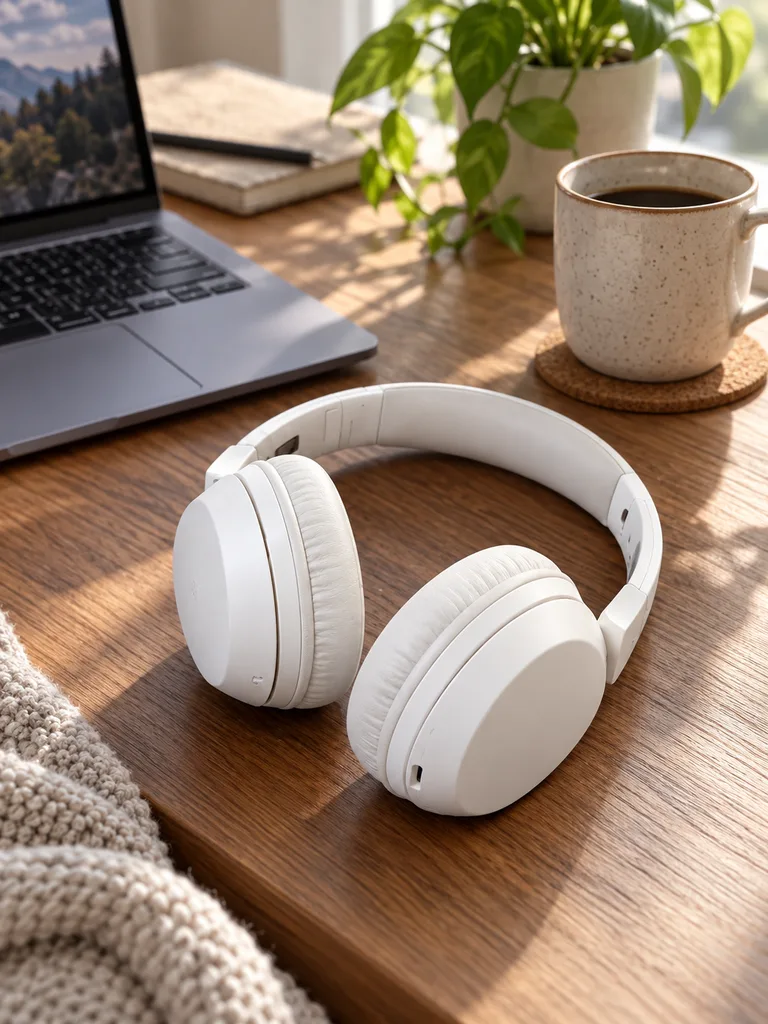
In use 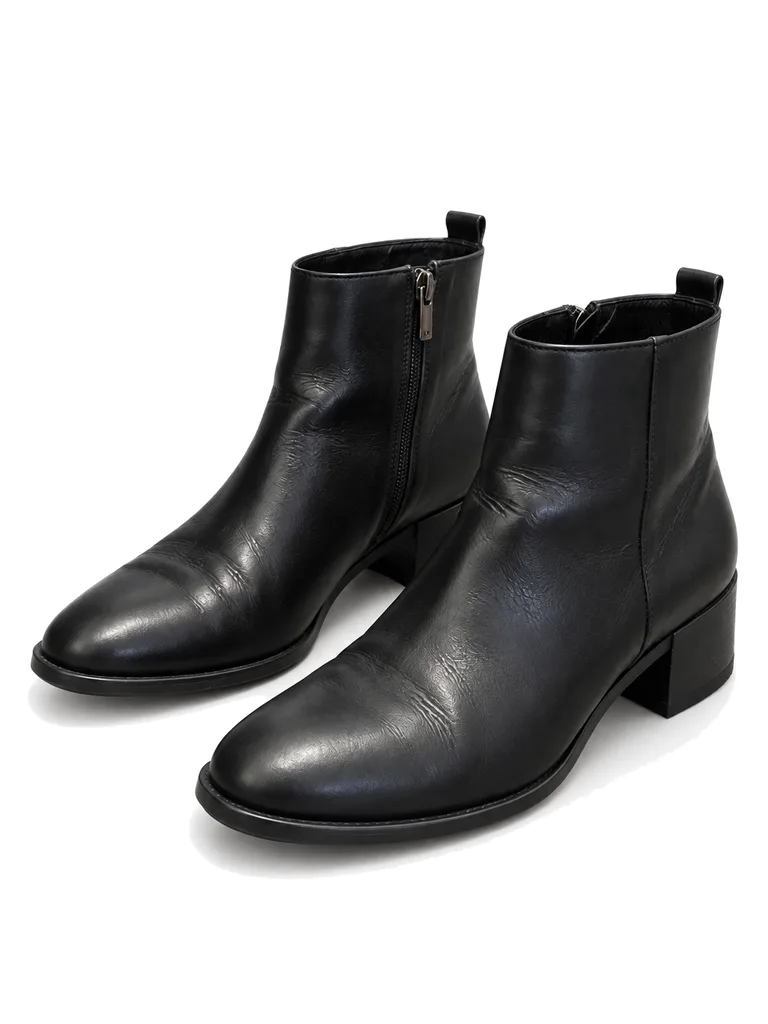
Three-quarter on white

About these shots
- On white
- Re-shot on white; the cables and chair are gone.
- In use
- A scene for the second image.
- Three-quarter on white
- An angle the snapshot did not have.
The before photos on this page are generated stand-ins for a seller’s phone snapshot. Each result is the named Sweepshot scene applied to that snapshot, with no retouching afterwards.
Questions
Is there a free Pixelcut alternative?
Sweepshot gives you 3 free photos after sign-up, no card needed; they carry a small badge. Pixelcut itself has a free plan with limited background removal.
How much does Pixelcut cost?
On 27 October 2026 Pixelcut’s pricing page showed a free plan, Pro at $10 or $8 a month billed yearly, and Business at $30 or $24 a month billed yearly.
Does Sweepshot remove backgrounds like Pixelcut?
Not as transparent cut-outs. Sweepshot re-shoots the product from your photo onto pure white or into a scene.
Which is better for Amazon main images?
A cut-out keeps your photo’s pixels, so it is only as good as the photo. A re-shot main image can fix poor light and framing; check small details against the real product either way.
Which is cheaper?
For background removal at volume, Pixelcut: Pro includes unlimited removal from $8 a month billed yearly. Sweepshot Start is €29 a month for about 70 newly made photos with listing text.