
Jewelry photos on a model and on white
Rings on a hand, earrings on a model, necklaces on white.


One ring, a full set
Showcase shot 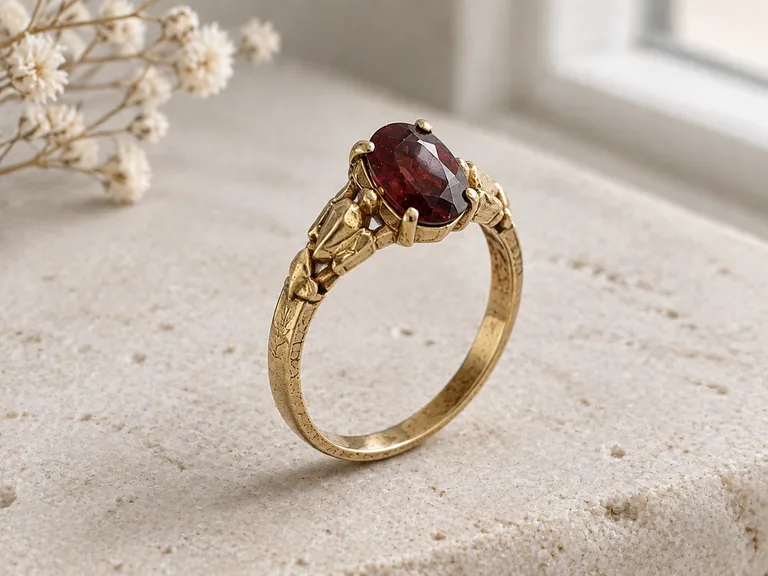
Another angle 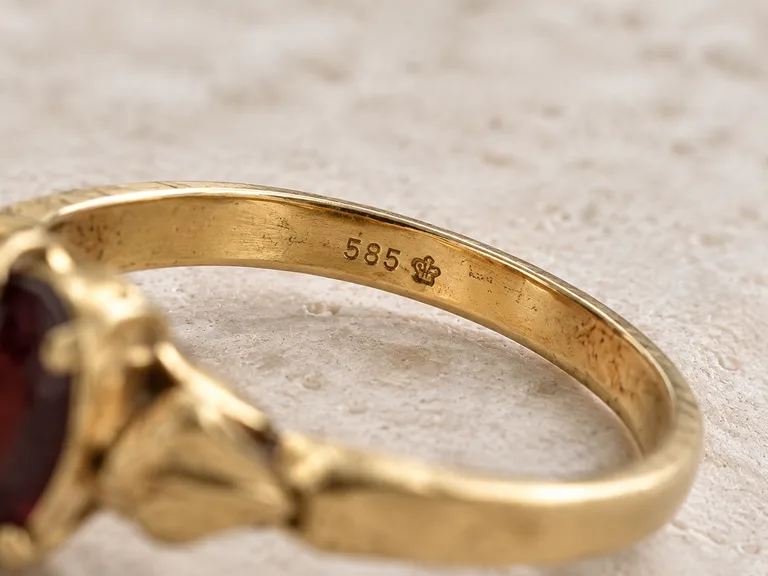
Hallmark close-up 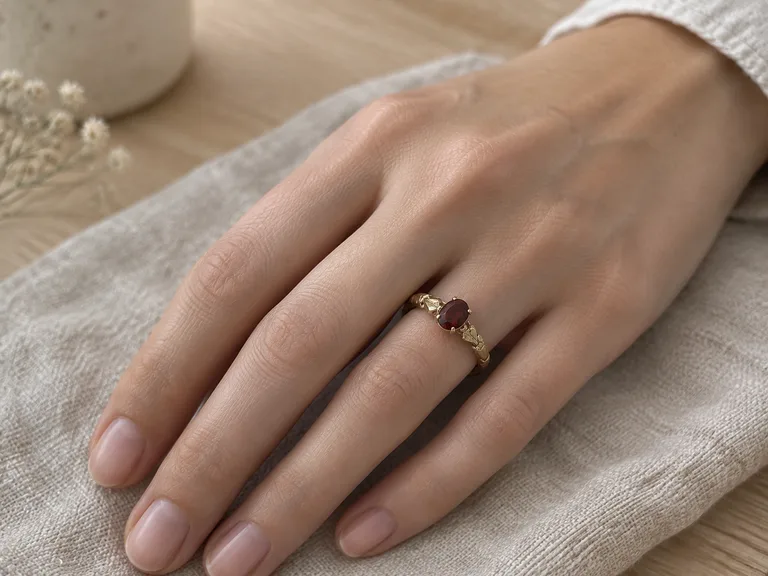
Scale, on a hand


About these shots
Four scenes from the same snapshot: rings on a hand, plus macro and hallmark close-ups. Tap the first photo to see where it started.
- Showcase shot
- The piece as it is, in soft daylight.
- Another angle
- The setting from the side: how high the stone sits.
- Hallmark close-up
- The stamp exactly as it is on the band.
- Scale, on a hand
- Real size on a finger.
On the body and on white
On the ears 
On the wrist 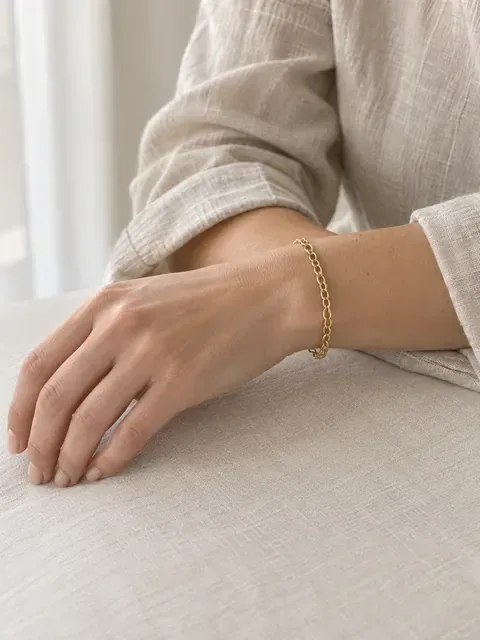
Scale on a wrist On white


About these shots
The Accessory on a model scene puts a piece on the hand, ears, neck or wrist. White background gives the clean main image.
- On the ears
- From a snapshot on a velvet pad.
- On the wrist
- Scene preview: a watch on the wrist.
- Scale on a wrist
- Scene preview: real size on the body.
- On white
- Fine chain, clean edges, no halo.
A shot list for one piece
- MainWhite background
- On the bodyAccessory on a model
- DetailMacro
- MarkingsHallmark close-up
All seven shots
What buyers look for in each photo, and the scene that makes it.
| Photo | Scene in Sweepshot | What the buyer checks |
|---|---|---|
| Main image | White background main image | Shape and metal color at a glance, in search results |
| On the body | Accessory on a model: on the hand, ears, neck or wrist | Size and how the piece sits when worn |
| Detail | Macro | Stones, prongs, clasp and surface texture |
| Markings | Hallmark close-up | Purity stamp, maker’s mark, engraving |
| Depth | Three-quarter angle, or Another angle | How high the setting rises, the profile of the band |
| Real size | Scale: on a hand or next to a coin | A size the buyer can picture |
| Mood | Marble, or Sun and shadows | A gift-ready look for the last photo |
Scene names as they appear in the studio. Pick several at once and they run as one series from the same photo.
Check these before you publish
01
Stones
Same number, cut and color. No extra sparkle that reads as an extra stone.
02
Prongs and setting
Count the prongs. The bezel or claws should match your piece.
03
Hallmarks and engraving
The same characters, in the same place. Hallmark close-up shows only marks visible in your photo.
04
Metal color
Yellow, white and rose gold should not shift. Compare with the piece in daylight.
05
Size on the body
Band width against the finger, pendant against the neckline. A ring should not look heavier than it is.
06
Chains and clasps
Link pattern, length and clasp type, as in your snapshot.
07
Pairs
Both earrings in a pair should match each other and your piece.
Details
The scenes are told to keep stones, metal and every marking. Small details can still drift, and jewelry buyers zoom in.
Marketplace notes for jewelry
- AmazonPure white main, tag AI people
- EtsyUp to 20 photos
- eBayNo text or watermarks
Rules and sourcesChecked 23 October 2026
Where the white shot goes, where on-model shots go, and what to leave off.
| Marketplace | Main image | Other photos |
|---|---|---|
| Amazon | Pure white requiredThe piece alone on RGB 255, 255, 255, with no text or props. Jewelry also has its own category style guide. | Tag AI peopleOn-model shots fit here. Images with photorealistic AI-generated people need the contains-synthetic-performer tag; Sweepshot adds it to model and hand scenes. |
| Etsy | No background ruleLeave space around the piece: the first photo is cropped into thumbnails. | Up to 20 photos per listing |
| eBay | White is generally bestA darker background can suit shiny pieces. | No text or watermarks on any photoSkip the condition card. No stock photos for used pieces. |
Checked on 23 October 2026 against Amazon's Seller Forums guide to product images, My Amazon Guy on the AI-people tag, Etsy's image help (summarized by Nightjar), eBay's picture policy and adding pictures on eBay. Marketplaces change their rules; check your category before you publish.
Questions
Can AI put my ring on a hand?
Yes. Choose Accessory on a model, then On the hand. Upload a sharp photo of the ring with the stone in focus; the scene is told to keep its shape, stones and metal and puts it on a model’s finger.
Will stones and engravings stay accurate?
The scenes are told to keep every stone, metal color and marking, and the hallmark close-up shows only marks visible in your photo, character for character. Small details can still drift, so compare each photo with the piece and ask for a fix in words or run it again.
What background is best for jewelry?
Pure white for the main image, which Amazon requires. Marble or soft daylight for the photos after it. eBay notes that a darker background can suit shiny pieces.
Do I need to label AI models on Amazon?
Amazon asks sellers to tag images and videos that show photorealistic AI-generated people with the keyword contains-synthetic-performer in the file’s XMP dc:subject field before upload. Sweepshot adds this keyword by default when you download a shot from a scene with a model or a hand, and you can switch it off in the image’s “…” menu without generating again. If a person appears in any other shot, add the keyword yourself before upload.
Can you photograph hallmarks?
Yes. Hallmark close-up makes a macro of the stamp, tag or engraving that is visible in your photo. Shoot the mark sharp and close; the scene does not add marks that are not there.
Does it work for watches and bracelets?
Yes. Accessory on a model has an On the wrist option, and Scale shows a piece on a hand or next to a coin.
What size are the photos?
In 3:4 they are 1152 × 1536 pixels, and squares are 1024 × 1024. That is above the 1,000 pixels Amazon asks for on the longest side so shoppers can zoom.
